What would users do before starting?
Clinical wanted users to complete a wellbeing assessment before they could access Nova. That would give us a pre-use baseline and followed an approach already used in Therapy. I was concerned that a mandatory step would make it harder for people to get started, especially when the assessment gave them no immediate feedback or personalisation.
Agreeing what to test
I led working sessions with Product and Clinical to agree what made the baseline useful and what we needed to learn about completion. I proposed making the assessment optional, encouraging completion through automated messages, and reviewing the approach after a month.
Making the assessment optional carried a risk of selection bias. People who chose to complete it might differ from those who skipped it. The review gave us a point to assess whether voluntary completion yielded credible baseline data and revisit the decision.
What we agreed
Clinical backed the optional assessment and the one-month review plan. The assessment was still being built when I left Unmind, so I don’t have post-launch data on completion, activation or wellbeing outcomes.
-
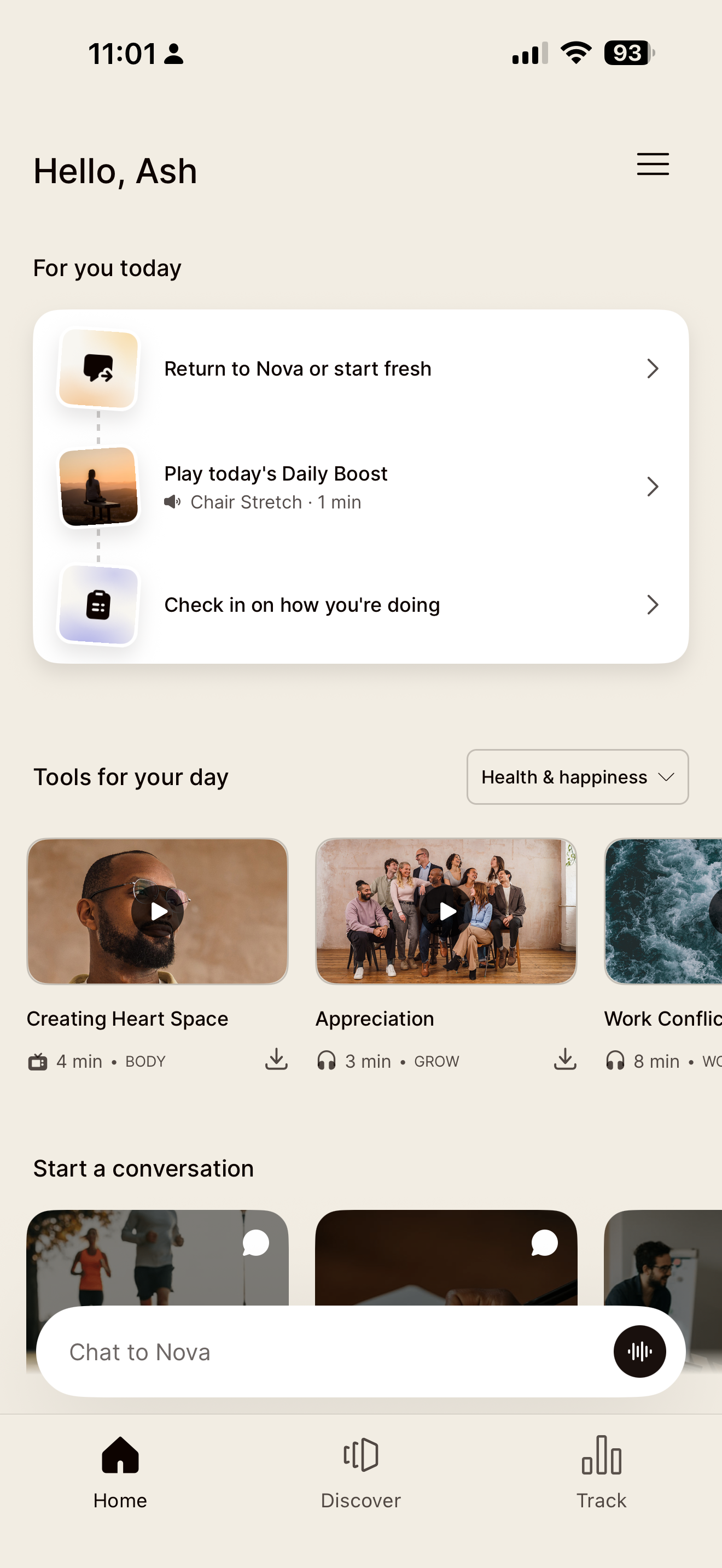 1. Open the check-in
-
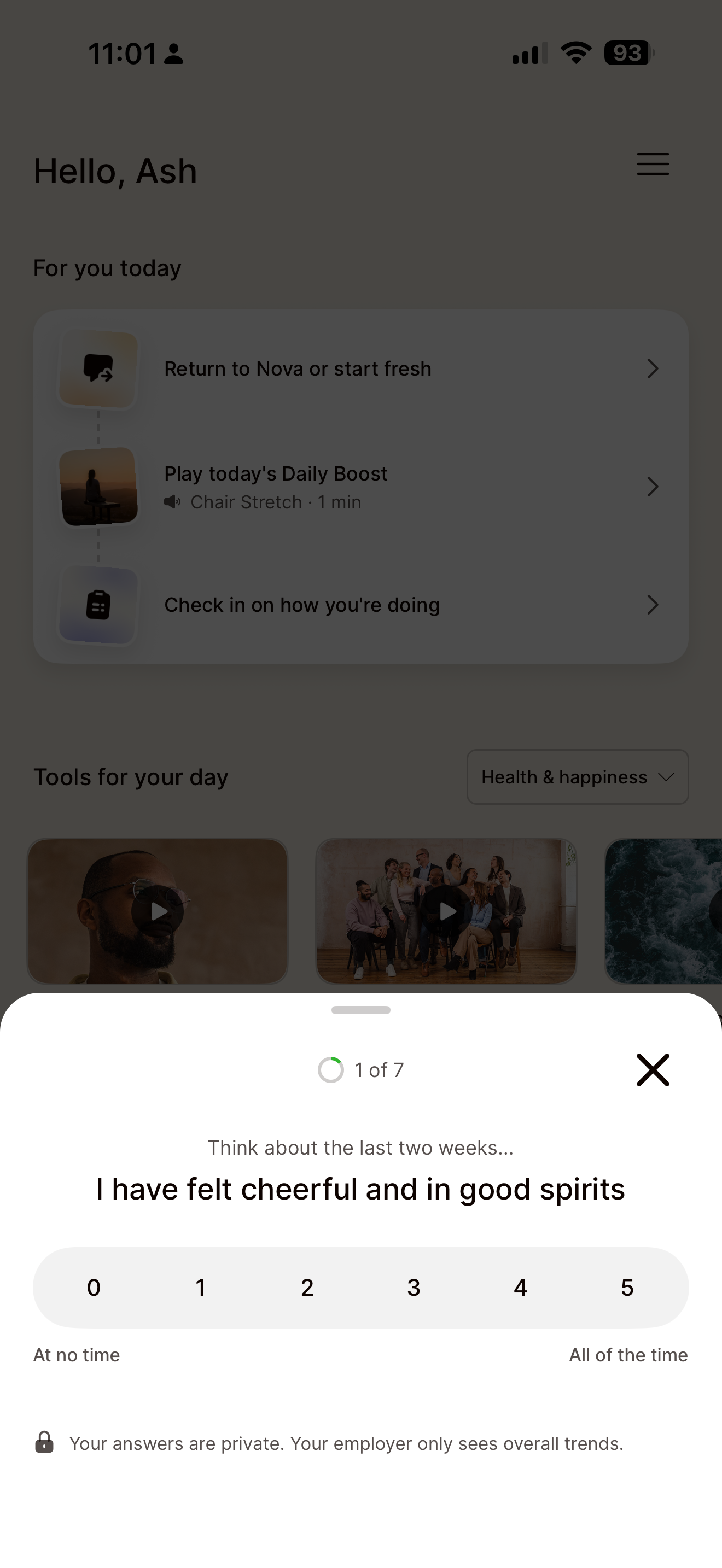 2. Answer a wellbeing question
-
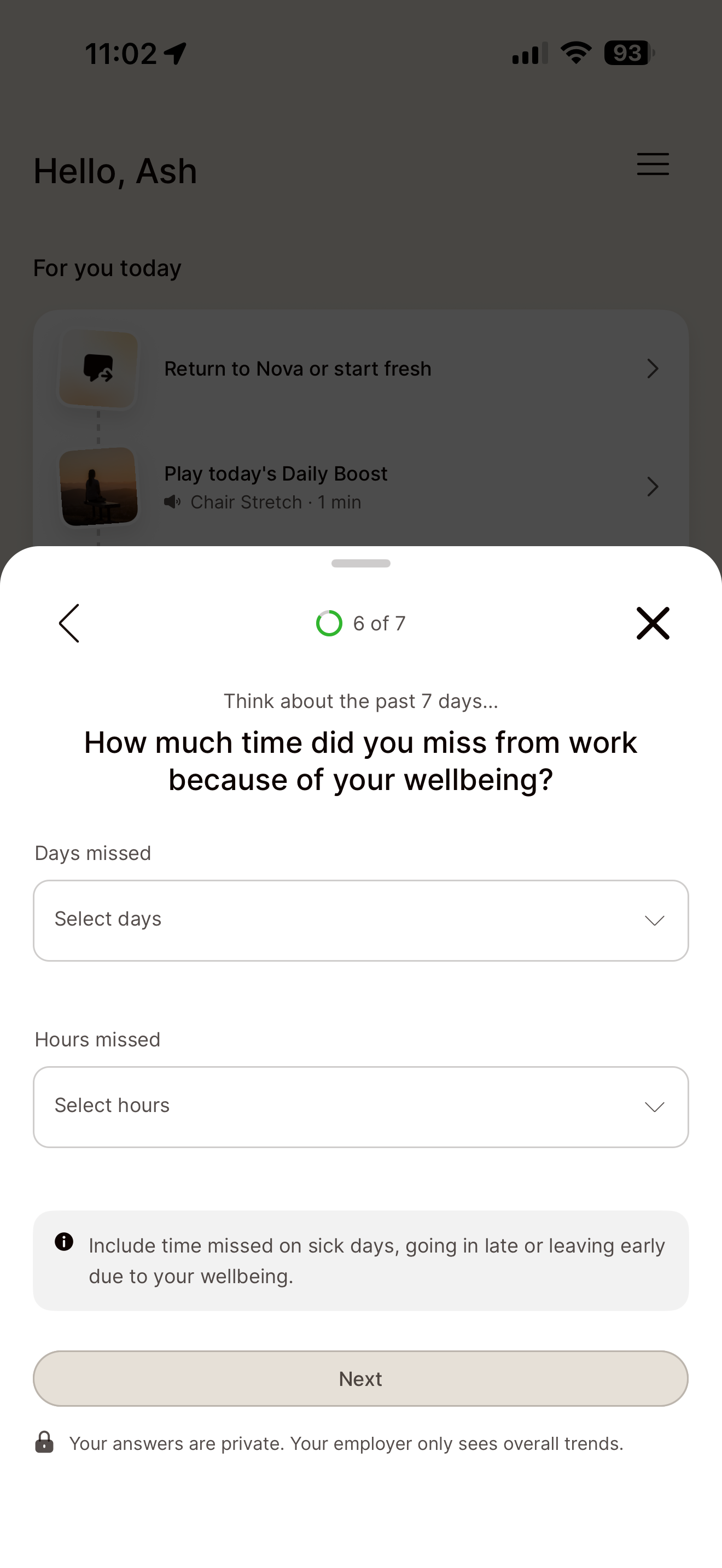 3. Report time missed at work
-
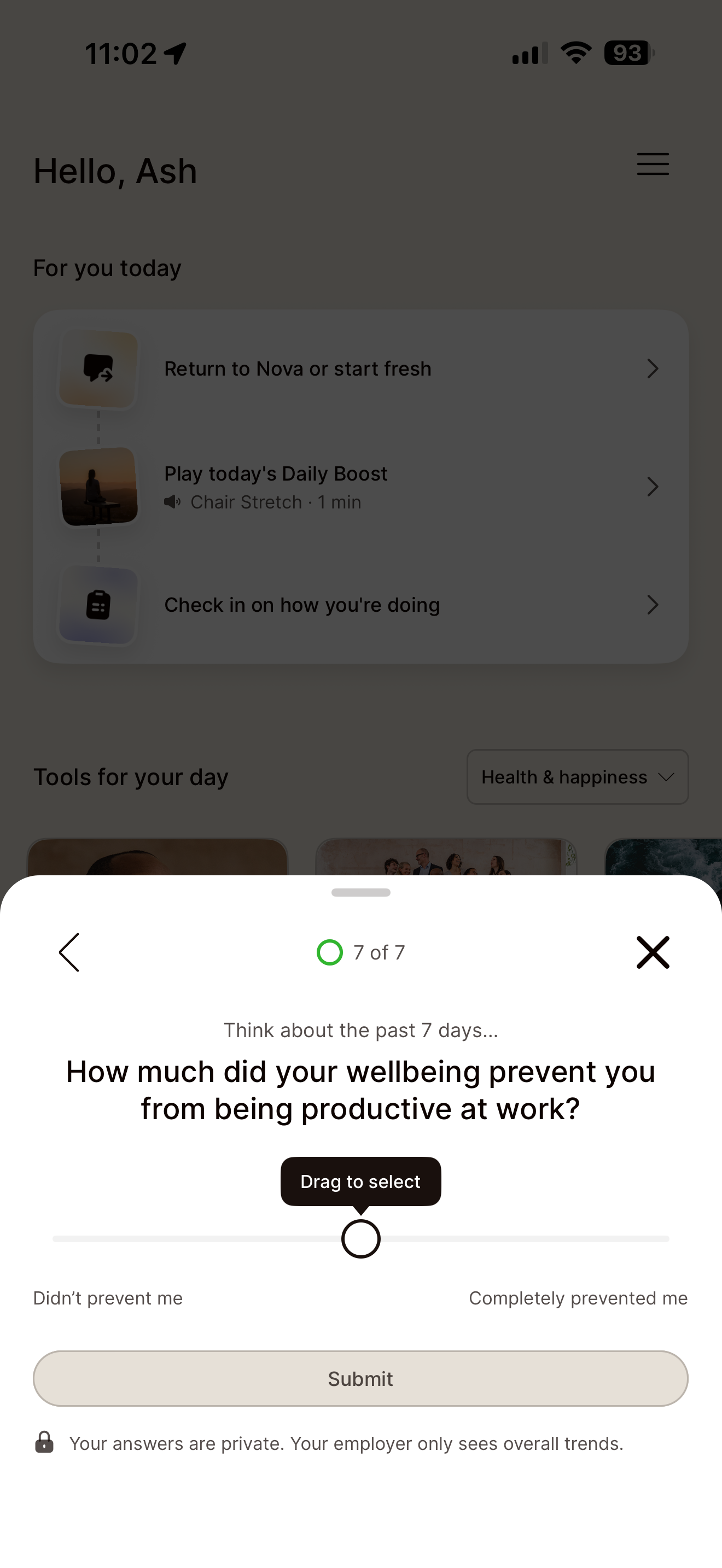 4. Rate the effect on productivity
-
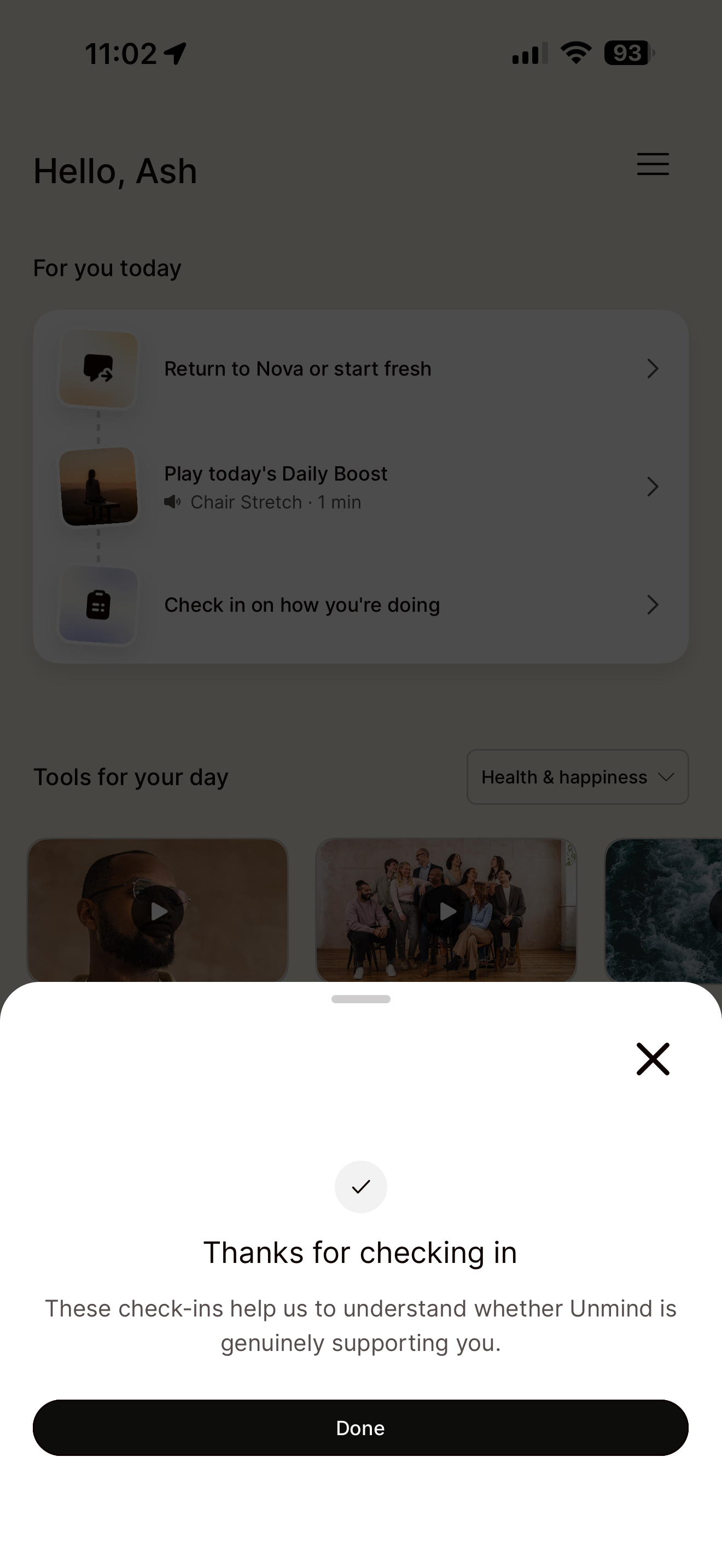 5. Finish the check-in
-
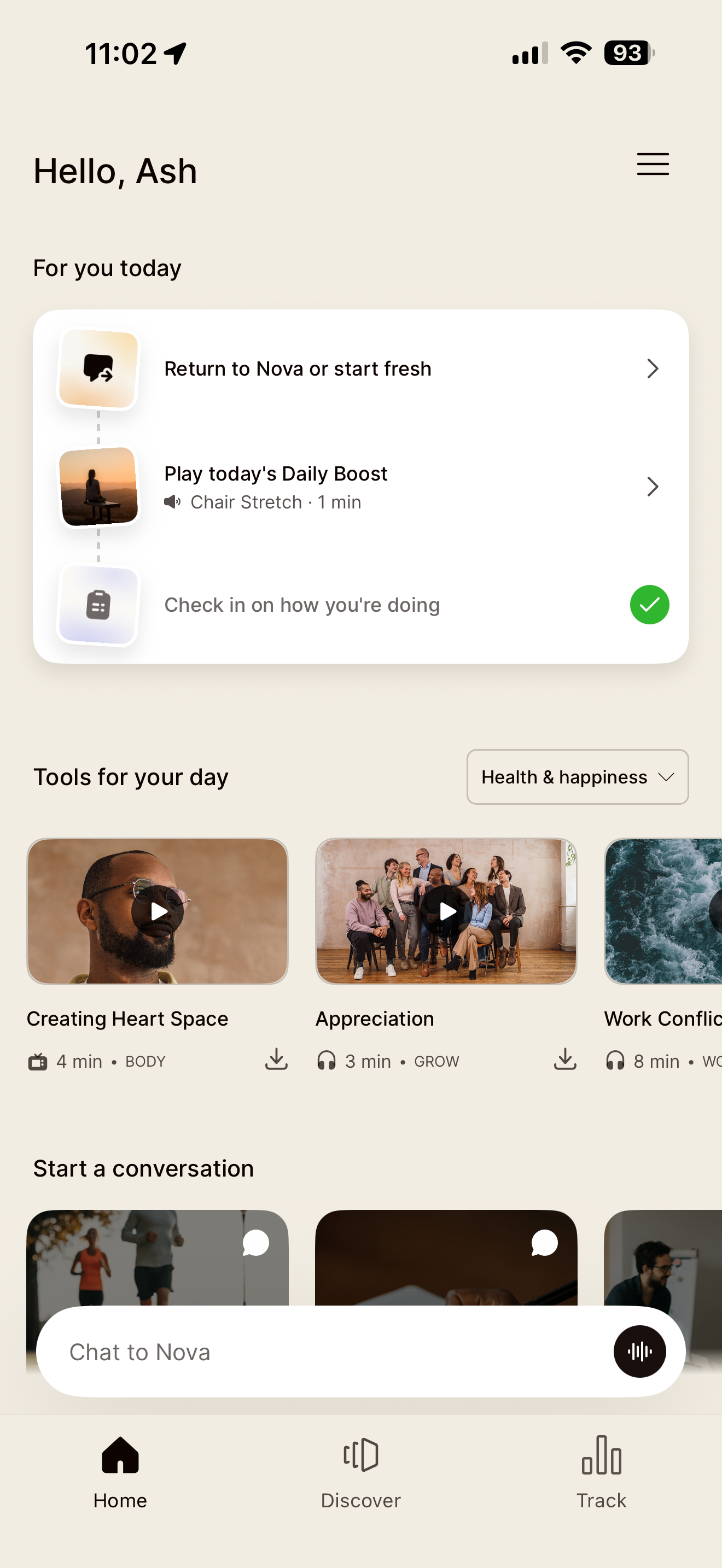 6. Return to the home screen